

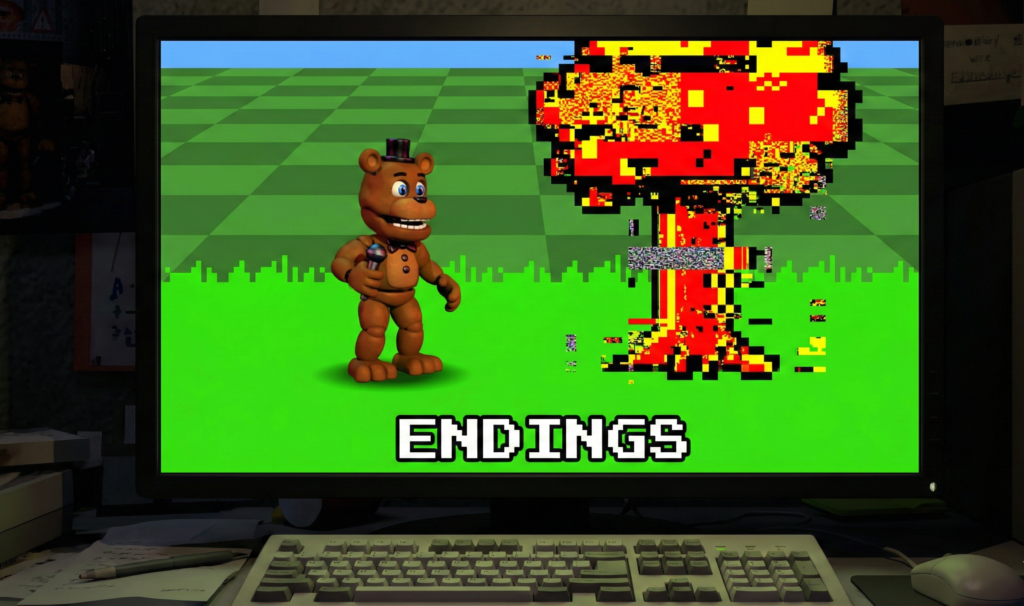
FNaF World is not merely a “failed” RPG; it is a complex, meta-narrative puzzle that hides its most important lore behind obscure glitches and specific tasks. While the game features nearly a dozen distinct conclusions, three stand out for their significance to the wider Five Nights at Freddy’s timeline and community preservation efforts: the Canon Clock Ending, the ominous 4th Glitch Ending, and the game-breaking Universe End.
This guide bypasses the fluff and provides the exact technical steps required to trigger these endings in the 2026 current patch (Update 2).
Prerequisites & Game Mode Settings
Before attempting these endings, ensure you are playing on a verified build of the game. If you are encountering “No License” errors on Steam, refer to our Steam Fix (No License) guide or grab the freeware version from our Download (PC) hub.
- Difficulty: The Clock Ending and 4th Glitch can be achieved on Normal Mode.
- Party: No specific party composition is required except for the Universe End (which requires Fredbear). If you are struggling with survival, consult our Chips & Bytes Tier List to optimize your build.
1. The Clock Ending (The Canon Ending)
The Clock Ending is widely considered the “True” ending of FNaF World. It ties directly into the box from FNaF 4, with the 8-bit Fredbear promising to “put you back together.” To achieve this, you must ignore the main objective (fighting the Security Owl) and instead follow the instructions of the 8-bit Fredbear NPC who appears in cutscenes.
Step 1: Decline the Adventure
When the game begins, Fredbear will tell you to find the “Key.” You must listen to him, but crucially, you must not proceed too quickly to the final boss. Your goal is to find 5 Glitch Clocks scattered across the map.
Step 2: Locate and Complete the 5 Clock Minigames
You must find these clocks in specific areas. Walk into them to trigger a minigame. You have a limited time to complete each one.
| Clock # | World Location | Trigger Condition | Minigame Goal |
|---|---|---|---|
| 1 | Choppy’s Woods | Press against the rock formation near the start. | Push the box into the slot. |
| 2 | Dusting Fields | Far north, nestled between trees. | Click the button to stop the cursor on the star. |
| 3 | Lilygear Lake | South-west corner, near the shore. | Maneuver the pixel-Fredbear to the box. |
| 4 | Pinwheel Circus | Near the tent entrance (requires Key). | Use the cursor to block the balls. |
| 5 | Pinwheel Funhouse | Inside the maze (hidden wall). | Push the box into the slot (Harder version). |
Step 3: Enter the Portal
Once all 5 clocks are “set” (turned bluehttps://www.google.com/search?q=/green), proceed to the final red portal in the Pinwheel Circus. Defeat the Security Owl (or bypass it if you have already). Instead of the “Scott” boss fight, you will be taken to a black screen with two eyes.
The Result: You will receive the “The End” trophy and a dialogue confirming that “the pieces are in place for you.”
2. The 4th Glitch Ending (Old Man Consequences)
This ending is a favorite among technical users and lore hunters because it introduces Old Man Consequences (OMC), a character who later appears in Ultimate Custom Night. This ending requires you to “break” the game map by traveling too deep into the code.
Step 1: Find a Glitched Object
Locate a “Glitched Object” (a flashing rock or tree) in the overworld.
- World 1: Glitched Rock (leads to Layer 2).
- Layer 2: Find the Glitched Tree (leads to Layer 3).
Step 2: Navigate the Sub-Tunnels
In the “Sub-Tunnel” (the glitched, retro-style map), do not exit at the orange portals. Instead, look for a glitched object inside the sub-tunnel to go a layer deeper.
- Layer 1 (Overworld) -> Glitched Rock -> Layer 2
- Layer 2 -> Glitched Tree -> Layer 3
- Layer 3 -> Glitched Arcade Cabinet -> Layer 4
Step 3: The Red Lake
When you enter Layer 4, there is no map. You are in a red void. Walk left until you encounter a red fisherman sitting by a pond. This is Old Man Consequences.
The Interaction:
Walk up to him. He will tell you that you have gone too deep into the code and there is no way back.
- Dialogue: “Sit with me a while. Leave the demon to his demons. Rest your own soul. There is nothing else.”
The Lock:
Once you enter this screen, you cannot leave. Pressing buttons does nothing. The only way to exit is to physically close the game (Alt+F4) or wait for the game to crash. This awards the “4th Glitch” Trophy on the title screen.
3. The Universe End (The Paradox)
This is the “meme” ending, but it is legitimate and awards a trophy. It relies on the logic that two of the same entity cannot exist in the same spacetime without causing a universe-ending paradox.
Prerequisites
- You must have Fredbear unlocked as a playable character.
- If you do not have him, check our Characters & Unlocks guide for the fastest grinding method.
Step 1: Set Fredbear as Leader
Go to the party creation menu. Set Fredbear (the playable character) in the Slot 1 position of your Blue Team.
Step 2: Initiate Dialogue
Start a new game or load a save. Walk up to the NPC Fredbear (the one who gives you tutorials) while controlling your Party Fredbear.
Step 3: The Collapse
Initiate the conversation. The sprites will realize they are identical. The screen will begin to shake violently, and the heads of both Fredbears will explode, followed by the text: “The Universe End.”
Why this matters: It highlights the self-aware, meta-humor that Scott Cawthon utilized throughout the development of FNaF World, acknowledging the absurdity of the spinoff.
Frequently Asked Questions (FAQ)
Do I need to be on Hard Mode to get the Clock Ending?
No. The Clock Ending, 4th Glitch, and Universe End can all be achieved on Normal Mode. Only the “Scott Cawthon” (Rainbow) ending requires Hard Mode.
I missed a clock in World 1. Can I go back?
Yes. FNaF World allows you to travel back to previous worlds using the “Jump” buttons on the map. You can collect the clocks in any order before entering the final portal.
Why can’t I find the 4th Glitch sub-tunnels?
You must enter the glitched objects in order. You cannot skip layers. If you are struggling to survive the high-level enemies in the glitch world, consider using the “Auto: Shield” chip found in our Chips & Bytes Tier List.
Is the mobile APK version different for endings?
If you are playing a verified port from our Android APK page, the logic is identical. However, some fan-made “simulators” may not have the 4th Glitch layer programmed correctly.
What happens if I beat the game without the Clocks?
You will get the “Standard” ending (Security Owl defeat) or the “Bad” ending, where Scott tells you that you finished the game but missed the point.
For more technical fixes, modding tools, and character guides, return to the FNaF World Hub.