

If you have searched the Apple App Store for FNaF World, you have likely met a wall of frustration. Unlike the main Five Nights at Freddy’s horror games, which consistently top the charts, the RPG spin-off is nowhere to be found.
Here is the hard reality: There is no official FNaF World app for iOS. Scott Cawthon never released the game for iPhone or iPad, and the limited Android port was removed in 2017.
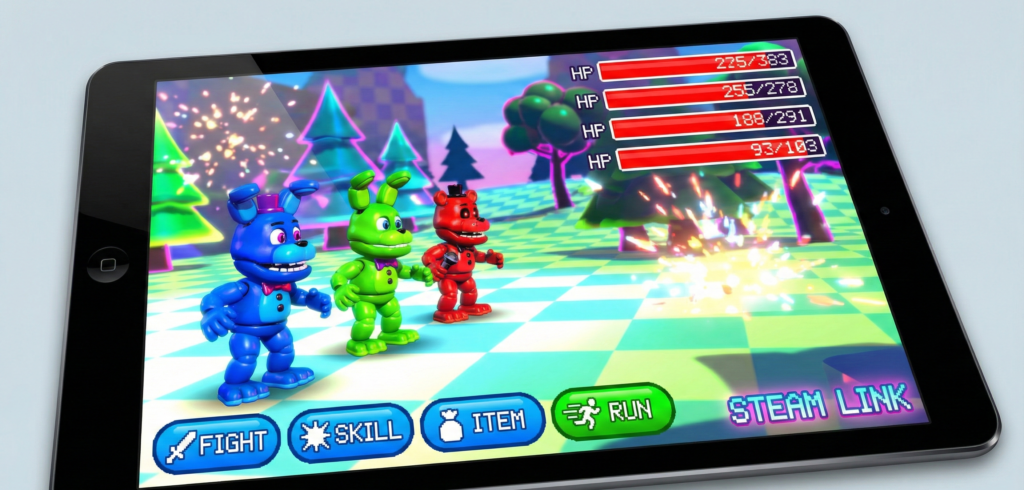
However, that doesn’t mean you can’t play it on your Apple device. It just means you cannot install it directly. This guide covers the only two legitimate methods to play FNaF World on iOS in 2026, while keeping your device safe from “IPA download” scams.
The Reality Check: Why Isn’t It on the App Store?
Before we get to the workarounds, it is vital to understand why the game is missing. FNaF World had a turbulent launch on PC in 2016 and was briefly ported to Android before Scott Cawthon pulled it from all mobile marketplaces due to quality dissatisfaction.
Because the game runs on the Clickteam Fusion engine, porting it to iOS requires significant optimization that was never completed.
Warning: Avoid “FNaF World iOS IPA” Scams
If you search Google for “fnaf world ios download” or “fnaf world ipa no jailbreak,” you will find dozens of sites claiming to have a working file.
Do not download these files.
- They are fake: No official iOS version exists to be cracked.
- They are dangerous: These “web-apps” often install configuration profiles that can compromise your device security or bombard you with ads (“human verification” scams).
There are only two safe ways to view the Animatronic Village on your iPhone: Streaming or Browser Emulation.
Method 1: Steam Link (The Best Performance)
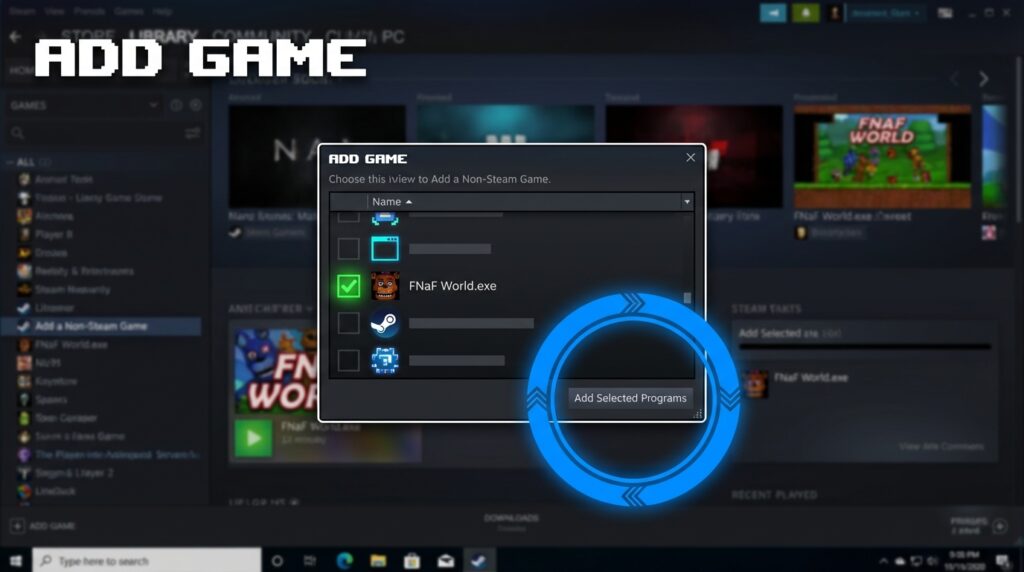
The most reliable way to play FNaF World on an iPad or iPhone is to stream it from your PC. This method uses your computer’s processing power to run the game, while your iOS device acts as the screen and controller.
Even though FNaF World was removed from the Steam store, you can still use this method with the free Game Jolt version by adding it as a “Non-Steam Game.”
Prerequisites
- A Windows PC with FNaF World installed (Get the legitimate file from our Download Page).
- A strong 5GHz Wi-Fi connection (essential for low latency).
- The Steam Link app (Free on the App Store).
Step-by-Step Setup Guide
Step 1: Add FNaF World to Your Steam Library
Since the game is freeware and hosted on Game Jolt, you must manually add it to Steam for the streaming tech to work.
- Open Steam on your PC.
- Click Games in the top menu bar.
- Select “Add a Non-Steam Game to My Library…”
- Browse for
FNaF_World.exeon your computer and click “Add Selected Programs.”
Step 2: Connect Your iOS Device
- Launch the Steam Link app on your iPhone or iPad.
- Ensure your PC and iOS device are on the same Wi-Fi network.
- Select your computer from the list. Steam will provide a 4-digit PIN to pair the devices.
Step 3: Configure Controls

- Once connected, enter “Big Picture Mode” on your phone screen.
- Navigate to your Library and launch FNaF World.
- Critical Step: Because FNaF World is a mouse-heavy RPG, the default Steam Link “Gamepad” controls might feel awkward. Tap the Steam Link settings icon -> Controller Layout -> Change to “Mouse / Trackpad” mode. This allows you to tap the screen to select attacks, which mimics a native mobile experience.
Method 2: Web Browser Ports (No PC Required)
If you do not have a PC, your only option is to play a web-based port via Safari. The community has uploaded HTML5 versions of the game to various archive sites.
Note: These versions are often older builds (Update 1) and may suffer from audio glitches or save data loss if you clear your browser cache.
How to Access “Unblocked” Versions
- Open Safari on your iOS device.
- Navigate to a reputable HTML5 game archive (search for “FNaF World unblocked html5”).
- Once the game loads, tap the “AA” icon in the URL bar and select “Hide Toolbar” to maximize the screen real estate.
Pros:
- No PC or download required.
- Works on restricted networks (School/Work).
Cons:
- Save Data Risk: If your phone clears Safari’s cache to save space, your progress (Animatronics, Chips, Bytes) will be deleted.
- Performance: Expect lower frame rates compared to the executable version.
Comparison: Which Method is Right for You?
| Feature | Steam Link (Method 1) | Browser Port (Method 2) |
|---|---|---|
| Visual Quality | Perfect (PC Native) | Compressed / Low Res |
| Save Data | Safe (Stored on PC) | Risky (Browser Cache) |
| Content | Full (Update 2 + Mods) | Often Update 1 Only |
| Requirements | PC + Strong Wi-Fi | Internet Connection |
| Safety | 100% Safe | Moderate (Ads on sites) |
If you have a PC, Method 1 is vastly superior. It allows you to play the full Update 2 content, unlock the Secret Endings, and even use our Save Editor on the host PC to tweak your party.
People Also Ask (FAQ)
Is FNaF World ever coming to the App Store?
It is highly unlikely. Scott Cawthon has moved on to other projects like Security Breach and the movie franchise. As of 2026, there are no announcements regarding a remastered iOS port of FNaF World.
Can I play FNaF World on iPad without a PC?
Yes, but only via Method 2 (Web Browser). You cannot install the game application directly onto the iPad hardware.
Is there a legitimate FNaF World IPA?
No. Any site offering a .ipa file for FNaF World is fraudulent. The game was never compiled for iOS architecture, so no legitimate file exists to be shared.
Does the Steam Link method work with Mods?
Yes! If you install mods like FNaF World: Refreshed or Redacted on your PC, Steam Link will stream the modded version to your phone exactly as it appears on your monitor. Check out our Best Mods list to get started.
Why does the screen go black when streaming?
This is a common issue with the Clickteam engine’s resolution scaling. Try running FNaF World in Windowed Mode (Alt + Enter) on your PC before connecting via Steam Link.