

The grind in FNaF World can be unforgiving. Whether you are trying to unlock the elusive Jack-O-Bonnie or simply lost your progress due to a corrupted file, you do not need to restart from scratch. Because the game runs on the Clickteam Fusion engine, it does not use encrypted databases. Instead, it uses a simple, editable text file.
This guide will teach you how to “hack” FNaF World safely by manually editing your save file (INI), allowing you to unlock every character, max out your tokens, and acquire the best Chips without spending hours farming.
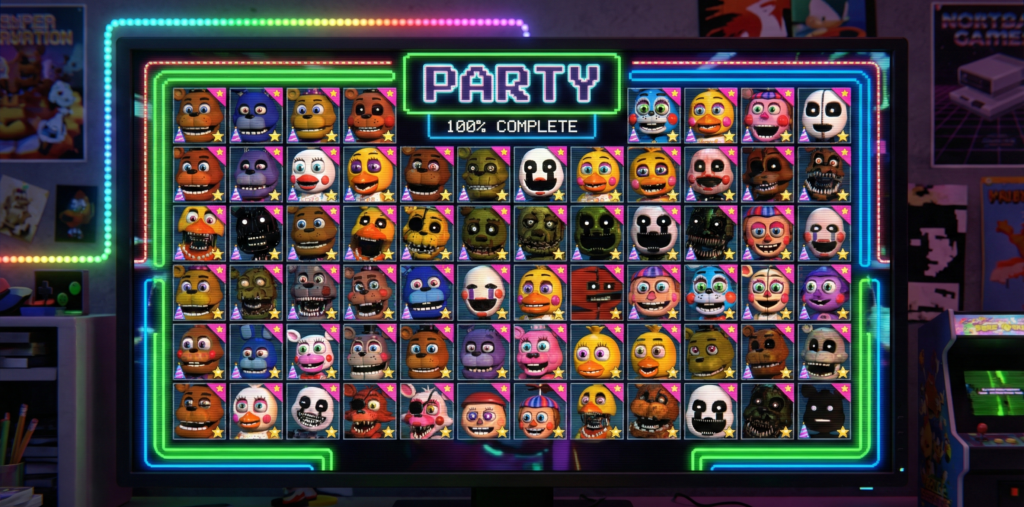
Prerequisites Checklist
Before you start manipulating the code, ensure you have the following:
- PC Version: This guide is for the Windows version (Steam or Game Jolt). Android save files require root access to modify.
- Text Editor: Windows Notepad is sufficient, but Notepad++ is recommended for better readability.
- A Backup: Always copy your save file before saving changes.
The Process: Manual Save Editing
Using a dedicated “Save Editor” program (EXE) can be risky in 2026, as many legacy tools from 2016 trigger false positives in modern antivirus software. Manual editing is safer, faster, and gives you total control.
Step 1: Locate the Save Directory
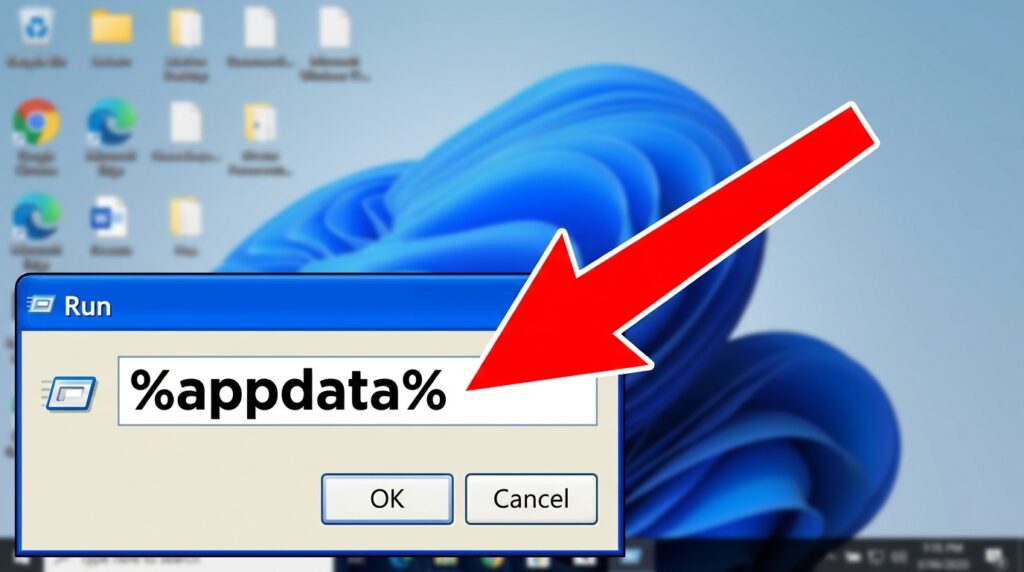
FNaF World does not store saves in the game folder. It stores them in the Windows Application Data folder.
- Press
Windows Key + Ron your keyboard to open the Run dialog. - Type:
%appdata%and press Enter. - Look for a folder named MMFApplications.
- Open it.
Step 2: Identify Your Slot
Inside MMFApplications, you will see files named without extensions:
fnafw1= Save Slot 1fnafw2= Save Slot 2fnafw3= Save Slot 3
Action: Right-click fnafw1 (or your preferred slot), select Copy, and Paste it onto your desktop. This is your backup.
Step 3: Edit the Variables
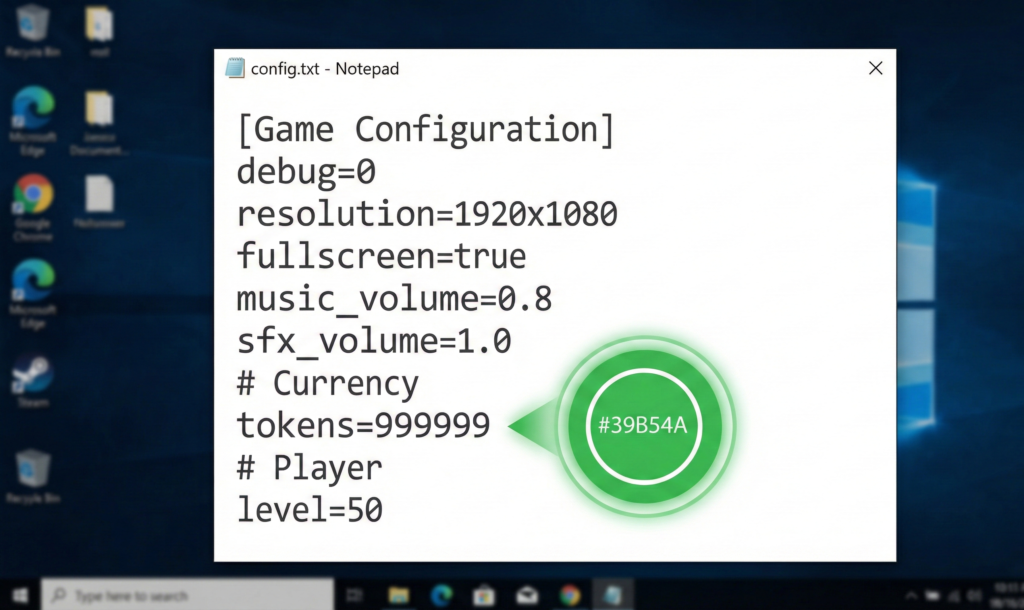
Right-click the original fnafw1 file in the folder, select Open with, and choose Notepad. You will see a list of data strings. Here is how to modify them:
How to Get Infinite Tokens
Find the line that says tokens=. Change the number to whatever you desire.
- Code:
tokens=999999
How to Unlock Characters
The game uses a simple “Have” flag for characters. The ID corresponds to the character’s roster number (1-48).
- Code:
1have=1(Unlocks Freddy) - Code:
48have=1(Unlocks Coffee)
To unlock the entire roster instantly, you can paste a pre-written block of code containing 1have=1 through 48have=1 into the bottom of the file.
How to Unlock Key Items
If you are stuck on a glitch or missed an item, add these lines:
map=1(Unlocks the Mini-Map)c1=1throughc8=1(Unlocks the 8 Glitch Clocks for the Clock Ending)
Step 4: Save and Launch
- In Notepad, press
Ctrl + Sto save. - Important: Do not use “Save As” or add a
.txtextension. The file name must remain exactlyfnafw1. - Launch FNaF World. Your Slot 1 should now reflect the changes.
Reference Dictionary: Character & Chip IDs
When editing, use these IDs to ensure you are unlocking the correct assets.
| ID Range | Category | Notes |
|---|---|---|
| 1 – 40 | Base Roster | 1=Freddy, 40=Spring Bonnie |
| 41 – 48 | Update 2 Roster | 43=Nightmarionne, 44=Animdude (Scott) |
| s1 – s4 | Bytes | s1 is the first Byte slot. Value = Byte ID. |
| c1 – c4 | Chips | c1 is the first Chip slot. Value = Chip ID. |
For a complete list of optimal loadouts, check our Bytes & Chips Tier List.
Common Mistakes & Troubleshooting
The “Corrupted File” Error
If the game crashes or resets your save after editing, you likely added an invalid line break or character.
- Fix: Delete the corrupted
fnafw1and move your backup copy from the desktop back into the folder. Try editing again, ensuring you do not leave empty spaces between lines.
Game Not Reading the File
This usually happens if Windows added a hidden extension.
- Fix: In File Explorer, go to View > Show > File name extensions. If your file is named
fnafw1.txt, rename it tofnafw1(remove the .txt).
“New Challenger” Won’t Appear
If you are trying to force an encounter by editing the next= variable, it is often unreliable. It is safer to simply add Xhave=1 to force the unlock directly rather than forcing the battle.
Frequently Asked Questions (FAQ)
Can I get banned from Steam for hacking FNaF World?
No. FNaF World is a single-player, offline game. Valve and ScottGames do not monitor save files or issue bans for modifying this title.
How do I edit saves on Android?
On Android, the save file is located in /data/data/com.scottgames.fnafworld/files/. This directory is system-protected, meaning you cannot access it without a “Rooted” device. Most mobile users prefer downloading a pre-modified “Fixed” APK from our Android Hub.
Does this work for the “Universe End”?
Yes. You can edit your party to put Fredbear in Slot 1 (s1=15) even if you haven’t legitimately unlocked him, allowing you to trigger the Universe End immediately upon starting a new game.
I lost my save file. Can I download one?
Yes. If you don’t want to edit the file yourself, you can download a “100% Complete” save file from community repositories. Simply rename it to fnafw1 and place it in the MMFApplications folder.
Now that you have your dream team, test them against the hardest bosses. Visit our FNaF World Endings Guide to find the secrets you just unlocked.