

If you are attempting to download FNaF World via Steam in 2026, you have likely encountered a frustrating roadblock. For nearly a decade, players used a specific console command to bypass the game’s hidden status. However, a server-side patch deployed by Valve and ScottGames has fundamentally changed how the game is accessed.
If you are seeing the “No License” or “Failure to Install” error when using the steam://install/427920 command, this guide explains exactly what happened and provides the only functional workarounds to get the game running on your PC.
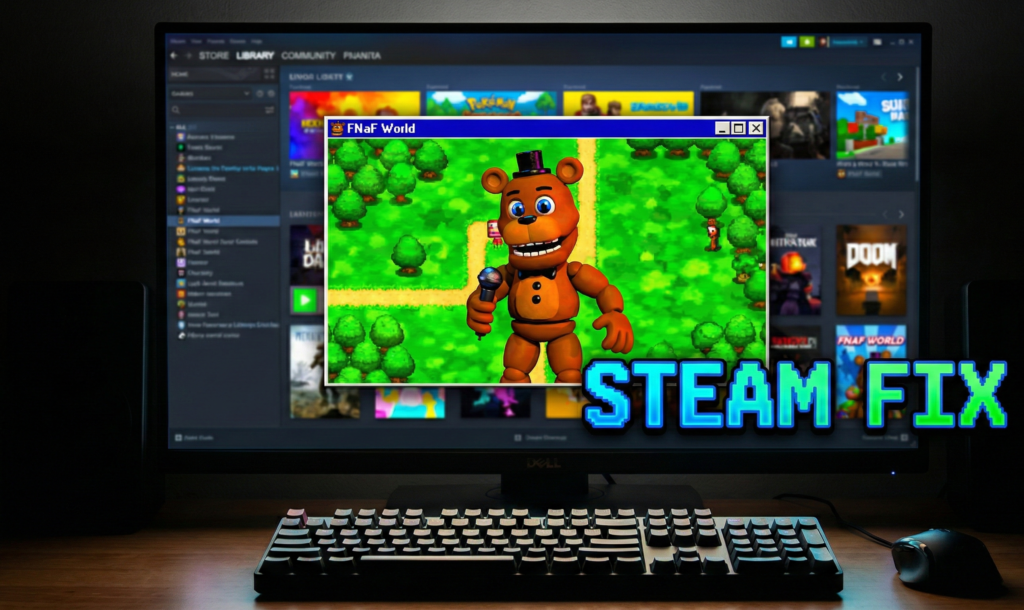
The “Quick Fix” Summary
Status: Patched (July 2024)
Thesteam://install/427920command no longer grants a license to new accounts.
- If you claimed the game before July 2024: You can still download it from your Steam Library (it may be hidden).
- If you are a new player: You must download the verified freeware version from Game Jolt.
Why the “No License” Error Occurs
For eight years, FNaF World existed in a “limbo” state on Steam. Although Scott Cawthon removed the store page in 2016, the backend package (SubID 92576) was configured as “Free on Demand.” This meant that anyone who sent a request to the Steam servers via the install command was automatically granted a license.
On July 3, 2024, a SteamDB update confirmed that the “Free on Demand” package was disabled. This server-side change effectively walled off the Steam version. Now, when you run the command, Steam checks your account for an existing license. If one is not found, the installation is rejected immediately.
Method 1: Verify Ownership (Legacy Accounts)
If you believe you claimed the game years ago but cannot see it, it might simply be hidden or uninstalled. This method only works for accounts that interacted with the game prior to the July 2024 patch.
Step 1: Check Your License History
- Log in to your Steam account.
- Click your username in the top right corner -> Account Details.
- Select “View licenses and product key activations”.
- Use
Ctrl + Fto search for “FNaF World”.
Step 2: Force the Install
If the license exists in your history, the command will still work for you because you pass the server check.
- Press
Win + Ron your keyboard to open the Run dialog. - Type:
steam://install/427920 - Press Enter. Steam should launch the installation prompt.
Method 2: The Game Jolt Migration (The Only Solution for New Users)
If you are a new player or created your Steam account after 2024, there is zero way to acquire the Steam license legitimately. Key resellers do not exist for this game because it was delisted before key generation became standard for free titles.
You must migrate to the Game Jolt version. This is not a “pirated” copy; it is the official source provided by Scott Cawthon after he removed the game from Steam.
Step 1: Acquire the Game Files
Navigate to our verified Download Hub to get the clean FNaF_World.exe (Update 2). Do not download from unverified “APK” sites or “Steam Unlocked” aggregators, as these often contain malware or broken builds.
Step 2: Add to Steam as a Non-Steam Game
You can replicate the Steam experience (Overlay, Screenshots, Friend Status) by manually adding the Game Jolt executable to your library.
- Open Steam.
- Click Games in the top menu bar -> Add a Non-Steam Game to My Library…
- Click Browse… and locate your
FNaF_World.exe. - Click Add Selected Programs.
Pro Tip: You can manually set the artwork to match the official Steam assets using a tool like SteamGridDB to complete the look.
Preventing Save File Issues
A common misconception is that the Steam version and Game Jolt version use different save systems. They do not. Both versions read from the exact same directory:
%appdata%\MMFApplications
If you migrate from a friend’s Steam copy to your own Game Jolt copy, your save data (characters, chips, and progress) will transfer automatically. If you need to recover lost progress due to the switch, consult our Save Editor & Hacking Guide to restore your file.
Frequently Asked Questions (FAQ)
Can I buy a Steam key for FNaF World from a reseller?
No. FNaF World was made free shortly after release and subsequently removed. No “keys” were ever generated for distribution, so any site claiming to sell one is a scam.
Will FNaF World ever return to the Steam Store?
It is highly unlikely. Scott Cawthon has expressed dissatisfaction with the game’s quality relative to the main franchise. The community preservation efforts on Game Jolt are currently the permanent home for the title.
Does the Game Jolt version have achievements?
No. The Steam achievements (like “The End” or “Safety Patrol”) are exclusive to the Steamworks integration. However, the in-game trophies on the title screen function identically in both versions.
I get a “Direct3D” error when launching the non-Steam version. How do I fix it?
This is a common issue with the Clickteam Fusion engine on Windows 11. Check our Troubleshooting Guide for the “Alt+Enter” fix and DirectX runtime solutions.
Is there any difference in content between Steam and Game Jolt?
Content-wise, they are identical. Both run “Update 2” (v1.24). The only difference is the lack of Steam Cloud support and the overlay in the Game Jolt version.
Still having trouble launching the game? Visit the Troubleshooting Hub for crash fixes, or check the FNaF World Android Guide if you prefer to play on mobile.